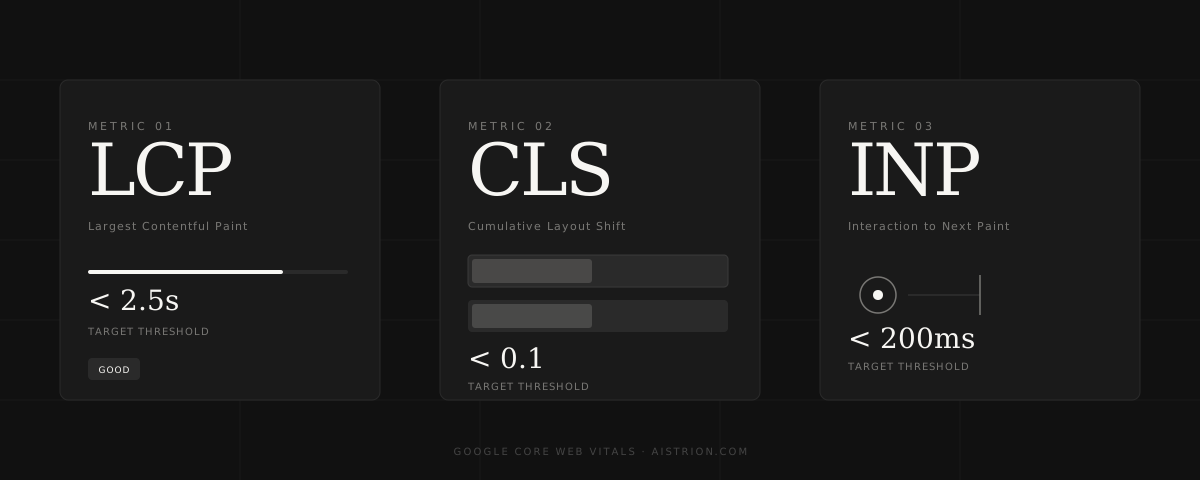
In 2021, Google made a significant change to its ranking algorithm: it began using real-world user experience data as a direct ranking signal. This update — known as the Page Experience update — introduced Core Web Vitals as measurable factors that influence where your site appears in search results.
For most small business owners, this was news that flew under the radar. But its implications are significant: a slow, unstable, or unresponsive website doesn't just frustrate visitors — it actively costs you search rankings, and with them, customers.
What are Core Web Vitals?
Core Web Vitals are three specific metrics that Google uses to measure the real-world experience of loading and using a page. They focus on loading speed, visual stability, and responsiveness.
Google collects this data from real Chrome users visiting your site through its Chrome User Experience Report (CrUX). If your pages consistently perform poorly, that data feeds directly into your rankings.
Why does this matter for your business?
Consider two competing businesses in the same industry. Both have similar content, similar backlinks, and similar authority. The one with better Core Web Vitals scores — faster loads, no layout shift, snappy interactions — will rank higher. Not by a small margin either: in competitive niches, page experience can be the deciding factor between page one and page two.
Page two of Google might as well not exist. Studies consistently show that fewer than 1% of searchers click through to the second page of results.
The compounding effect: A faster site not only ranks higher — it also converts better. Portent research found that a site loading in 1 second converts 3× better than one loading in 5 seconds. Every second of delay is costing you both rankings and revenue.
The most common Core Web Vitals problems — and how to fix them
Poor LCP — slow main content load
The most common cause is large, unoptimised images. A hero image that hasn't been compressed or converted to a modern format like WebP can easily be 3–5MB, making your page crawl. Other causes include slow server response times and render-blocking JavaScript.
- Compress all images and convert to WebP format
- Use a CDN (content delivery network) to serve assets faster globally
- Preload your hero image with
<link rel="preload"> - Defer non-critical JavaScript so it doesn't block rendering
High CLS — layout jumping
Layout shift happens when elements move around after the page has started rendering. The most common culprits are images without defined dimensions, web fonts loading late and causing text to reflow, and dynamically injected content (like cookie banners or ads) that pushes content down.
- Always specify width and height on images and video elements
- Use
font-display: optionalor preload your web fonts - Reserve space for dynamic content like ads or embeds
Poor INP — slow interaction response
INP measures how quickly your page responds when a user clicks a button or taps a link. Slow INP is usually caused by JavaScript that runs on the main thread, blocking the browser from processing interactions quickly. Heavy third-party scripts — analytics, chat widgets, ad trackers — are frequent offenders.
- Audit and remove unused third-party scripts
- Break up long JavaScript tasks using
setTimeoutorrequestIdleCallback - Load non-critical scripts asynchronously or defer them
How to check your scores
Google provides free tools to measure your Core Web Vitals:
- PageSpeed Insights (pagespeed.web.dev) — paste your URL for a full report with specific recommendations
- Google Search Console — the Core Web Vitals report shows your real-user data across all pages
- Lighthouse — built into Chrome DevTools, gives a lab score and detailed diagnostics
Aim for green scores across all three metrics. A Lighthouse score of 95 or above generally indicates your Core Web Vitals are healthy.
What Aistrion does differently
Every site we build at Aistrion is engineered from the ground up with Core Web Vitals in mind. We guarantee a Google Lighthouse score of 95 or above on every project — not as an afterthought, but as a baseline. Images are optimised, fonts are preloaded, JavaScript is deferred, and layout is stable from first paint.
If your current site is underperforming, we can audit it and identify exactly where the issues lie — or rebuild it properly from scratch. Either way, the result is a site that ranks better, loads faster, and converts more visitors into customers.